
Every minute you work, on record
Clockfair is a simple timesheet for hourly workers. Clock in with one tap, count overtime and tips, and check that your paycheck is right. Your hours stay on your iPhone.
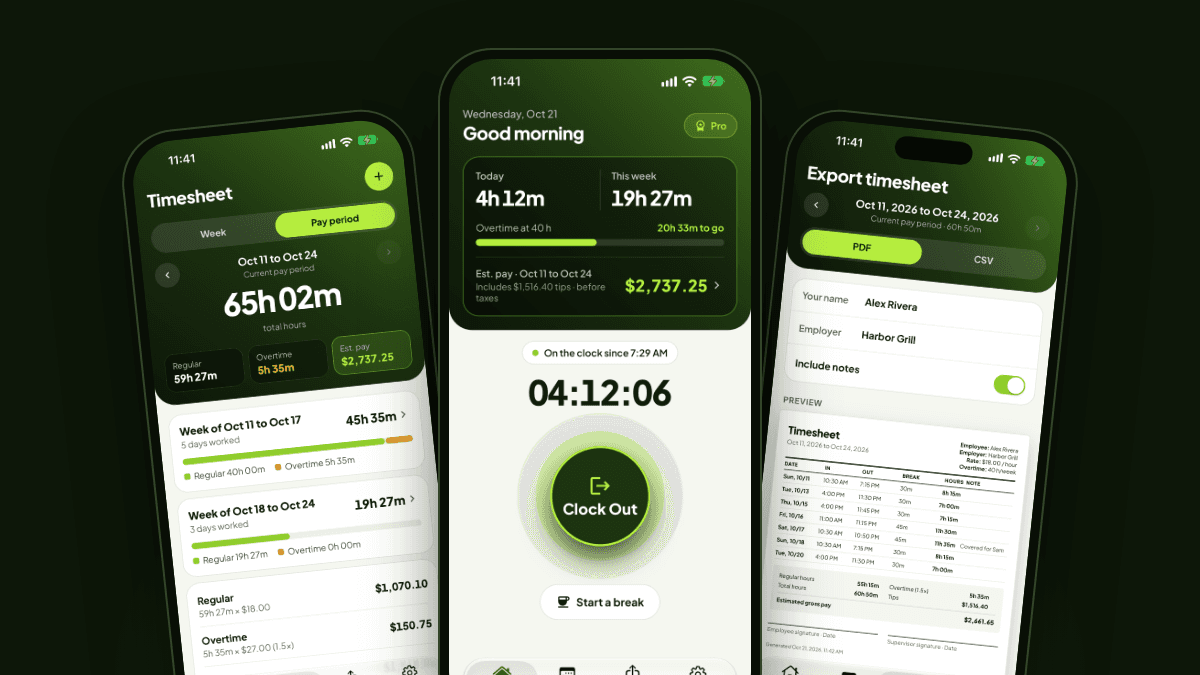
Built for shifts, breaks and tips
Servers, bartenders, retail and warehouse workers, caregivers: anyone paid by the hour.
One tap to clock in
Clock in and out with one tap, or add a shift by hand. Paid and unpaid breaks, overnight shifts, several shifts a day, a note on any shift.
Pay, counted right
Your hourly rate, weekly and daily overtime with your own multiplier, and estimated pay before taxes for every pay period.
Tips included
Cash and card tips on each shift, added to your totals and to your time card.
Check your paycheck
Type the amount on your pay stub. Clockfair compares it with your hours and tells you right away if money is missing.
A time card for payday
A clean PDF of any pay period, ready to send to your manager in one tap. CSV for Excel or Google Sheets.
Private by design
No sign up and nothing sent to us. Your hours live on your iPhone and in its iCloud Backup, with a backup file you can save anytime.
From clock in to payday
Get started in minutes, not hours.
Set your pay rules
Hourly rate, overtime, pay period and tips. About a minute, once.
Clock in and out
One tap at the start and end of each shift. A reminder if you forget to clock out.
Check and share on payday
See what you should be paid, compare it with your pay stub, and send your time card as a PDF.
Free to start, Pro when you need it
Clocking in and proving your hours are never behind a paywall.
Free
- Clock in and out, breaks, notes
- Overtime and tips
- Current and previous pay period
- PDF time card with a small Clockfair line
- Backups
Pro Yearly
- Everything in Free
- Your full history
- Check your paycheck
- CSV export
- PDF without the Clockfair line
Pro Lifetime
- Everything in Pro Yearly
- Pay once, no renewal
- No subscription to cancel
Questions
Everything you need to know.
No. There is no sign up and no login. Open the app, set your hourly rate, and clock in.
No. Your hours, pay and notes are stored only on your iPhone. They leave it only when you export a file, and they go only where you send them.
Your hours are part of your iPhone's iCloud Backup, so restoring a backup on the new phone brings them back. You can also save a backup file in Settings and restore it on the new iPhone.
Clockfair estimates pay before taxes and deductions. Check your hourly rate, overtime rule, pay period and breaks in Settings. With Pro, type the amount on your pay stub to see the exact difference.
Restore: open Settings, tap Try free on the Clockfair Pro card, then Restore purchase. Cancel: tap Manage on the Clockfair Pro card, or go to your Apple ID subscriptions in the iPhone Settings app, at least 24 hours before renewal.
Not yet. Clockfair starts on the iPhone; Android comes next.
Write to contact@mlidevstudio.com. A person answers, usually within two days. Tell us your iPhone model and iOS version if something does not work.